> ## Documentation Index
> Fetch the complete documentation index at: https://docs-dev-feat-init-gt-translations.mintlify.site/llms.txt
> Use this file to discover all available pages before exploring further.
> 無効なサブジェクトトークンがアプリケーションに到達する前にブロックするため、カスタムトークン交換の総当たり攻撃対策と不審な IP スロットリングを設定します。
# カスタムトークン交換での攻撃対策
`subject_token` への不正な改ざんや再利用を試みる、なりすまし攻撃やリプレイ攻撃から保護するため、カスタムトークン交換は [不審な IP スロットリング](/docs/ja-jp/secure/attack-protection/suspicious-ip-throttling) をサポートしています。これにより、サブジェクトトークンが無効であることを Actions コード内で示せるため、Auth0 はその外部 IP から送信された失敗試行の回数をカウントできます。
ある IP アドレスからの失敗試行回数が事前に設定されたしきい値に達すると、Auth0 はその IP から送信されるカスタムトークン交換リクエストのトラフィックを、次のエラーでブロックします。
```json lines theme={null}
HTTP/1.1 429 Too Many Requests
Content-Type: application/json
{
"error": "too_many_attempts",
"error_description": "We have detected suspicious login behavior and further attempts will be blocked. Please contact the administrator."
}
```
IP アドレスは、設定された期間が経過すると再びリクエストを送信できるようになります。
すべてのカスタムトークン交換のユースケース、特にネイティブアプリケーションやシングルページアプリケーション (SPA) では、不審な IP スロットリングの使用を推奨します。ネイティブアプリケーションや SPA などの非機密アプリケーションは、アプリケーション自身を認証するためのシークレットを安全に保存できないため、攻撃者に盗難または漏えいしたサブジェクトトークンを再利用されやすくなります。
不審な IP スロットリング保護を実装するには、受信したサブジェクトトークンが厳格なバリデーションを通過しない場合は、必ず Actions コードで `api.access.rejectInvalidSubjectToken` を使用してください。
不審な IP スロットリングは、Auth0 テナントでデフォルトで有効化されています。有効化されると、カスタムトークン交換には次のデフォルト設定が適用されます。
* しきい値: 10。IP アドレスごとの失敗試行の最大回数です。
* スロットリングレート: 1 時間あたり 6 回。しきい値が再び満たされるまで、10 分ごとに追加で 1 回試行できるようになります。
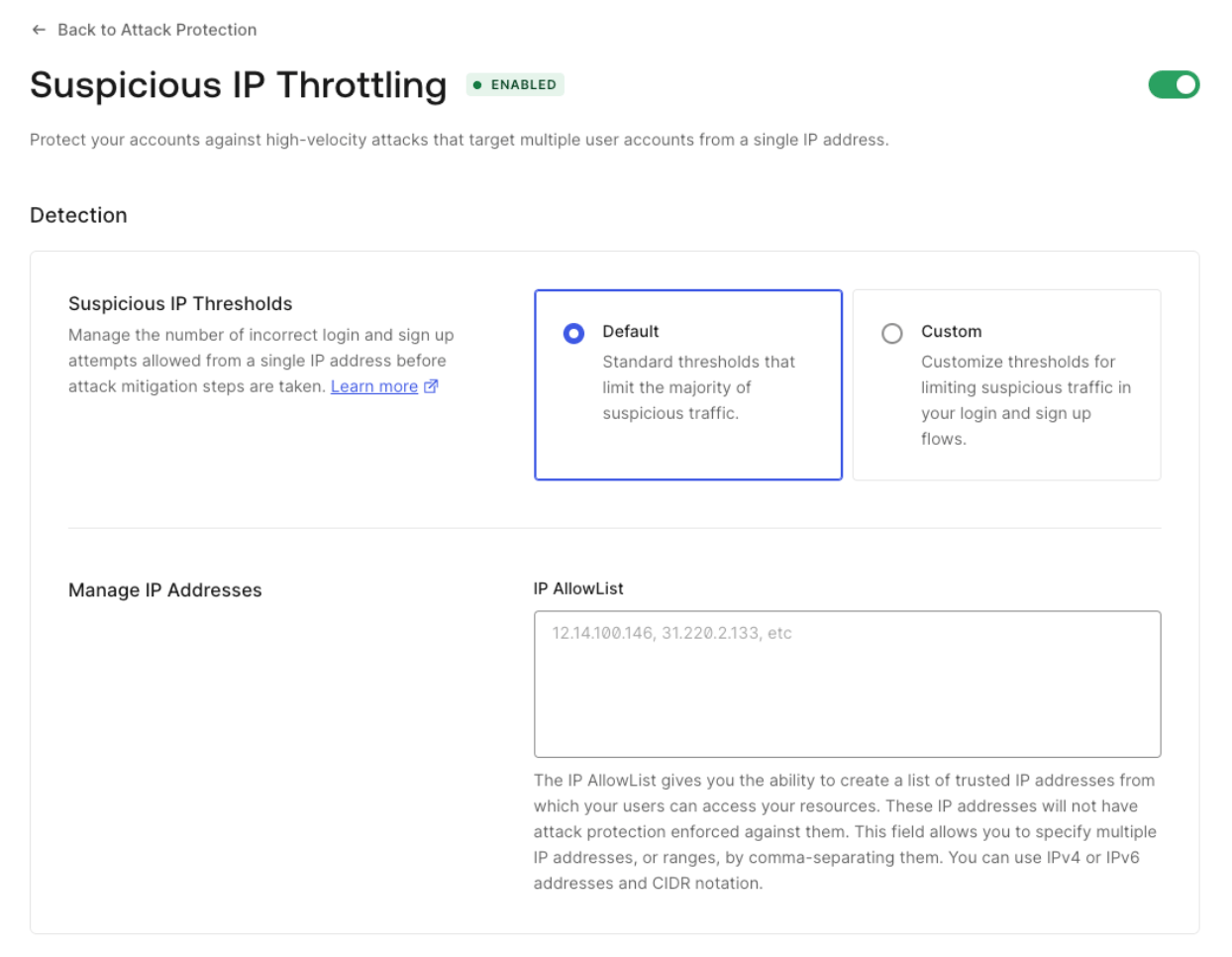
## カスタムトークン交換の不審な IP スロットリングを設定する
Management API を使用すると、カスタムトークン交換のカスタムしきい値とスロットリングレートを設定できます。
まず、API を利用するために [Management API トークンを取得](/docs/ja-jp/secure/tokens/access-tokens/management-api-access-tokens#get-management-api-tokens) します。次に、[不審な IP スロットリング設定を取得するエンドポイント](https://auth0.com/docs/api/management/v2/attack-protection/get-suspicious-ip-throttling) に対して、次の `GET` リクエストを送信します。
Auth0 CLI を使用していますか?まだの場合は、このコマンドを実行する前に [CLI セッションをセットアップして認証](/docs/ja-jp/deploy-monitor/auth0-cli) してください。
```bash theme={null}
auth0 api get "attack-protection/suspicious-ip-throttling"
```
```bash lines theme={null}
curl --location 'https://{yourDomain}/api/v2/attack-protection/suspicious-ip-throttling' \
--header 'Authorization: Bearer ' \
```
以下のようなレスポンスが返されます。
```json lines theme={null}
{
"enabled": true,
"shields": [
"admin_notification",
"block"
],
"allowlist": [],
"stage": {
"pre-login": {
"max_attempts": 100,
"rate": 864000
},
"pre-user-registration": {
"max_attempts": 50,
"rate": 1200
},
"pre-custom-token-exchange": {
"max_attempts": 10,
"rate": 600000
}
}
}
```
必要な値を指定して `pre-custom-token-exchange` ステージを更新するには、次の `PATCH` リクエストを使用します。なお、rate は新しい試行が許可されるまでの時間間隔をミリ秒単位で表します。
```bash theme={null}
auth0 api patch "/attack-protection/suspicious-ip-throttling" \
--data '{"stage":{"pre-custom-token-exchange":{"max_attempts":10,"rate":600000}}}'
```
```bash lines theme={null}
curl --location --request PATCH 'https://{yourDomain}/api/v2//attack-protection/suspicious-ip-throttling' \
--header 'Content-Type: application/json' \
--header 'Authorization: Bearer ' \
--data '{"stage":{"pre-custom-token-exchange":{"max_attempts":10,"rate":600000}}}'
```